



Apple has officially launched iPadOS 26, the most significant iPad update to date. Packed with groundbreaking features, a redesigned interface, smarter AI tools, and advanced multitasking capabilities, this update transforms the way users interact with their iPads. Whether you’re a student, creator, or professional, iPadOS 26 takes productivity and creativity to the next level.
Sleek New Design with Liquid Glass
iPadOS 26 design update introduces Liquid Glass — a translucent, dynamic material that reacts to touch and reflects the iPad’s environment. This new design enhances key areas like the Lock Screen, Home Screen, and Control Center, bringing them to life with light/dark animations, vivid color accents, and responsive app icons.
This visual overhaul also refreshes built-in apps like Safari, Mail, Music, and Apple TV with a modern, cohesive look that makes iPadOS 26 feel polished and premium.

Game-Changing Multitasking with New Windowing System
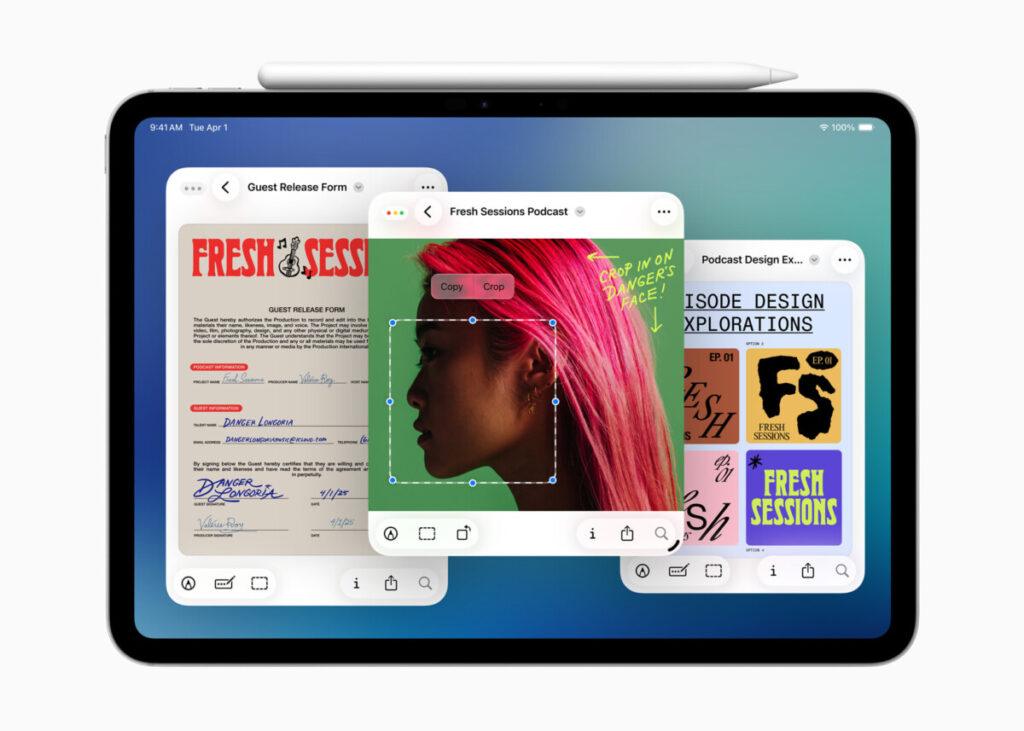
One of the most powerful features in iPadOS 26 is the all-new windowing system for iPad, built to rival desktop multitasking:
- Resize and freely position app windows
- Minimize, close, or tile apps with familiar controls
- Use Exposé to view all open windows at once
- Integrate seamlessly with Stage Manager and external displays
- New menu bar for quick access to app-level commands and tips
This makes working on iPad more intuitive and flexible, giving users the freedom to multitask like never before.

Apple Intelligence: Smarter and More Integrated
Apple Intelligence in iPadOS 26 brings smarter features across communication, creativity, and automation:
- Live Translation in FaceTime, Phone, and Messages for real-time, multilingual communication
- Genmoji lets users create custom emojis from descriptions
- Image Playground enables AI-generated images in different styles
- Shortcuts now include AI-powered actions like text summarization, image generation, and smart workflows
Read Also:
-

How ChatGPT Can Help in Business Growth | AI for Business Success
How ChatGPT Can Help in Business Growth How ChatGPT can help in business growth is becoming one of the most common questions business owners ask as artificial intelligence becomes essential in modern business strategy. From customer service to marketing, from project management to sales automation, ChatGPT helps businesses save time, reduce workload, and scale faster…
-

Best AI Tools for Students and Professionals
20 Best AI Tools Every Student Should Use in 2026 Powerful and mostly free tools to boost learning, productivity, research, writing, presentations and more AI tools are transforming the way students learn, study, communicate, and do projects. From smart assistants that help with essays to tools that summarize PDFs and generate presentations, there is an…
-

ChatGPT Tips and Tricks for Beginners. A Complete Starter Guide (2025)
ChatGPT for everyday use: ChatGPT is becoming more important as people use AI for work, study, business, and daily productivity. ChatGPT is more than a chatbot—it’s a digital assistant that can help with writing, planning, brainstorming, learning, communication, and automation. If you’re new to ChatGPT, this guide will teach you how to write better prompts,…


These tools make iPadOS 26 a leader in AI-powered mobile operating systems.

Advanced File Management with Files App
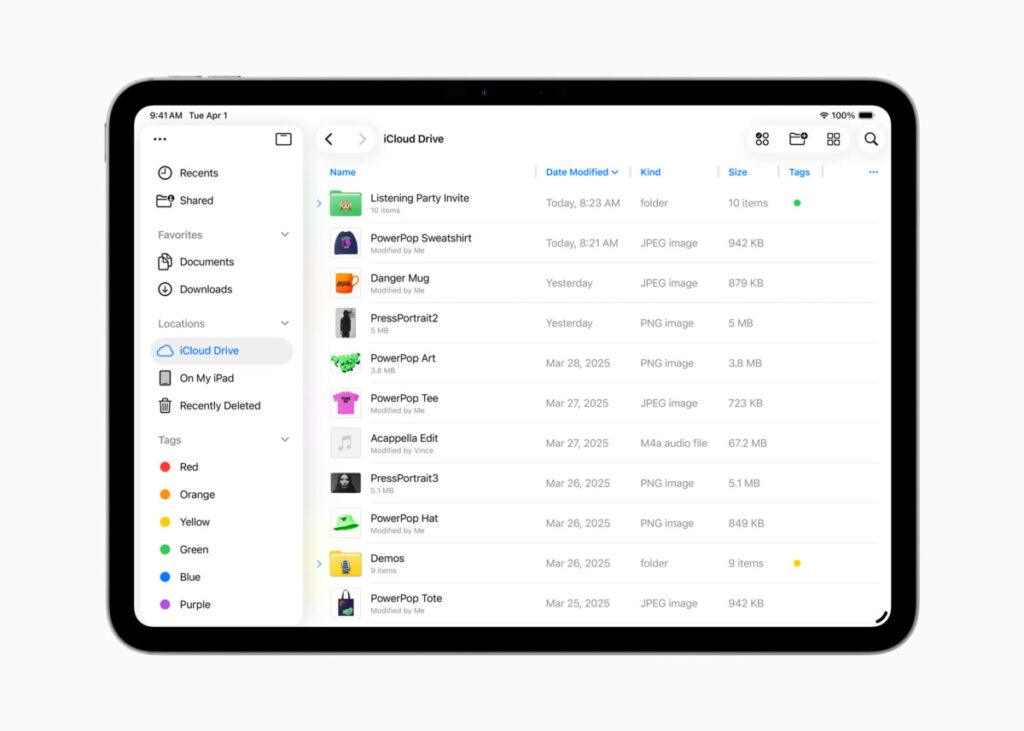
The updated Files app in iPadOS 26 offers:
- A more powerful List View with custom columns and collapsible folders
- Personalized folder icons, colors, and emoji
- The ability to drag folders to the Dock for easy access
- Default app selection for different file types
These enhancements make the iPad a true file management device, suitable for serious work or academic projects.
Preview App and Creative Pro Tools
The Preview app comes to iPad, letting users:
- View and annotate PDFs and images
- Use Apple Pencil for sketching and markup
- Quickly fill PDF forms with AutoFill
Alongside this, Background Tasks and Local Capture give creators the ability to:
- Record audio and video with studio-quality sound using AirPods Pro
- Select audio input sources per app or site
- Use voice isolation and echo cancellation for clean recordings during video calls
New Apps and Upgraded Communication
iPadOS 26 introduces several new features and apps:
- Journal App: Capture life moments with handwriting, images, audio, and locations
- Apple Games App: A new gaming hub with Game Overlay for real-time updates
- Messages App Updates: Add conversation backgrounds, polls, group chat typing indicators, and Apple Cash
- Phone App on iPad: Includes smart tools like Call Screening and Hold Assist
Final Thoughts: Why iPadOS 26 Is a Must-Have
With a beautiful new interface, powerful multitasking, deep Apple Intelligence integration, and pro-level tools, iPadOS 26 is the most feature-rich and performance-focused update yet. Whether for productivity, creativity, or communication, this update brings desktop-class power to the iPad.
Download iPadOS 26 and unlock the full potential of your iPad today.
Check out the official site: https://www.apple.com/os/